
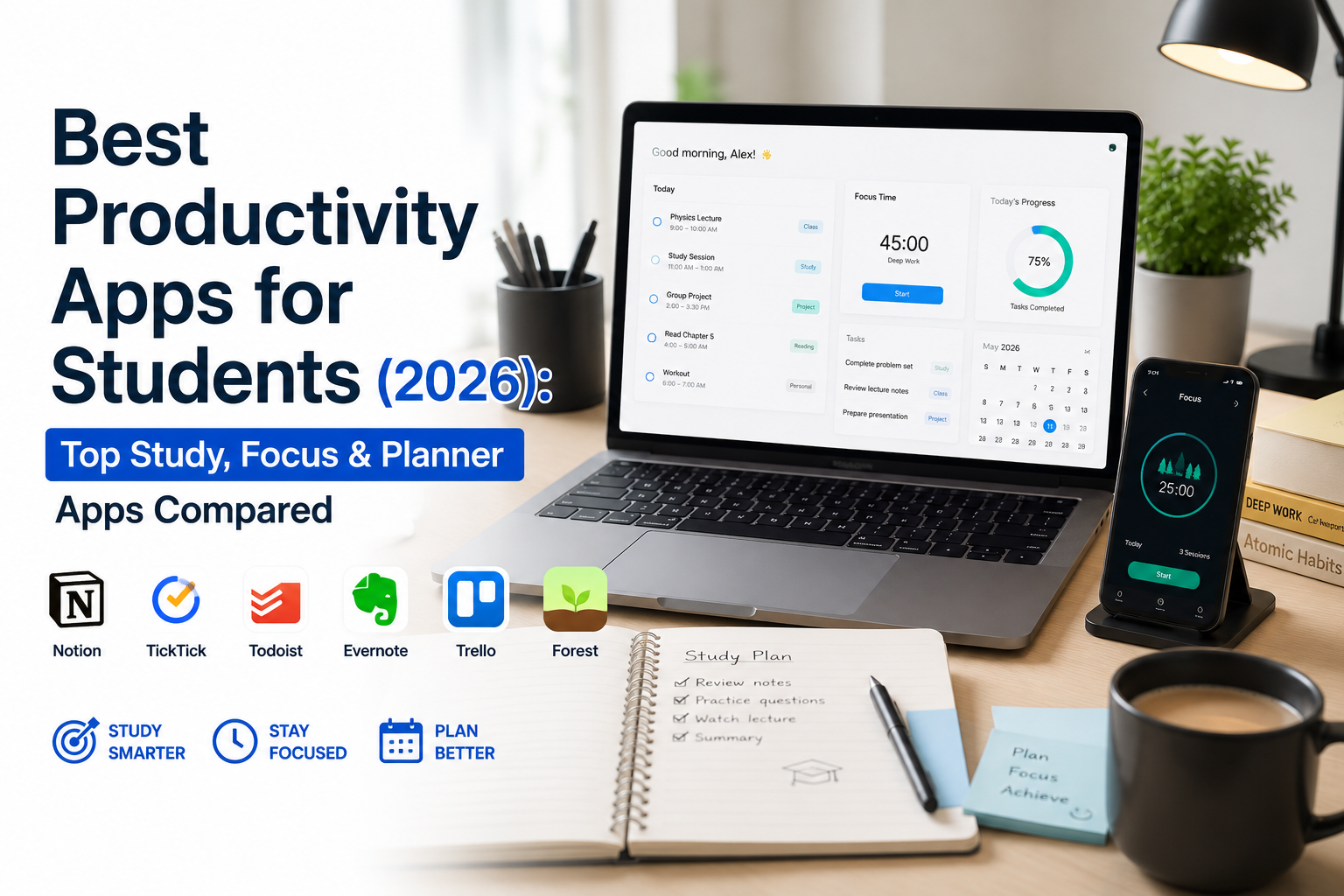
- 1
- 1,900 word
Student life in 2026 looks very different from what it did a decade ago. Between online classes, hybrid learning, research projects, internships, AI-assisted learning, extracurricular activities, and part-time jobs, students face more demands on their time than ever before.
I learned this lesson the hard way.
During my early academic years, I relied on sticky notes, notebooks, and memory to keep track of assignments. It worked until workloads increased. I started missing deadlines, forgetting important tasks, and spending more time organizing work than actually completing it.
Everything changed when I began experimenting with digital productivity systems. Over the last 15 years, I have tested hundreds of study productivity apps, planner systems, note-taking platforms, and focus tools while studying, managing projects, conducting research, and mentoring students.
What I discovered was simple: the right productivity apps don’t just help students stay organized—they reduce stress, improve focus, save time, and often contribute directly to better academic performance.
In this guide, I’ll share the best productivity apps for students, explain how they compare, and help you choose the right combination of tools based on your learning style and academic goals.

Why Students Need Productivity Apps in 2026
Managing Academic Workloads
Students today juggle multiple courses, assignments, quizzes, presentations, and group projects simultaneously.
One university student I coached used to manage deadlines through screenshots and memory. After switching to a task management app, she reduced missed assignments to nearly zero within a semester.
Modern productivity tools provide visibility into upcoming responsibilities and prevent important tasks from slipping through the cracks.
Reducing Procrastination
Procrastination remains one of the biggest academic challenges.
Many students don’t struggle because they’re lazy—they struggle because tasks feel overwhelming.
The best study productivity apps break large projects into manageable steps, making it easier to start.
Improving Time Management
Time management isn’t about working longer.
It’s about working smarter.
Productivity apps help students identify priorities, allocate study time efficiently, and track progress toward goals.
Enhancing Focus During Study Sessions
Distractions are everywhere.
Notifications, social media, messaging apps, and entertainment platforms constantly compete for attention.
Modern focus apps for students create distraction-free study environments and encourage deep work.
Balancing Studies and Personal Life
Burnout is becoming increasingly common.
Students need systems that help them balance academics, health, hobbies, and relationships.
The right productivity app acts as a personal organization system that supports a healthier lifestyle.
Features That Make the Best Productivity Apps for Students
Task Management
Strong task management allows students to organize assignments, deadlines, exams, and projects efficiently.
Note-Taking Capabilities
Effective notes improve learning retention.
The best apps allow multimedia notes, searchable content, tagging systems, and organized knowledge storage.
Calendar Integration
Assignments become much easier to manage when connected directly to calendars and schedules.
Collaboration Features
Group projects are unavoidable.
Collaboration tools streamline communication and project coordination.
Cross-Platform Access
Students frequently switch between laptops, tablets, and smartphones.
Cross-platform syncing ensures information remains accessible everywhere.
Study Tracking
Tracking study sessions provides valuable insights into habits and productivity patterns.
Focus Tools
Built-in timers, distraction blockers, and Pomodoro systems help maintain concentration.
AI-Powered Assistance
AI has become a significant productivity advantage.
Modern productivity platforms now help summarize notes, organize tasks, generate study materials, and optimize schedules.
Best Productivity Apps for Students Compared
Notion
Overview
Notion has become one of the most powerful all-in-one productivity platforms available.
Key Features
- Notes
- Databases
- Project management
- AI assistance
- Templates
Advantages
- Extremely flexible
- Excellent organization
- Powerful student templates
Disadvantages
- Learning curve
- Can become overly complex
Pricing
- Free plan available
- Premium plans available
Best Use Cases
Academic planning and knowledge management.
Student Benefits
Creates a complete academic operating system.
Personal Experience & Insights
If I could only recommend one productivity tool to most students, Notion would be near the top of the list.
Official website: Notion
Todoist
Overview
Todoist remains one of the best task management applications available.
Key Features
- Task lists
- Priority levels
- Recurring reminders
- Project organization
Advantages
- Simple interface
- Fast task entry
- Excellent mobile experience
Disadvantages
- Limited note-taking
Pricing
- Free plan available
Best Use Cases
Daily assignment tracking.
Student Benefits
Helps students consistently meet deadlines.
Personal Experience & Insights
I still use Todoist for capturing quick tasks and assignment reminders.
Official website: Todoist
Microsoft OneNote
Overview
OneNote remains one of the strongest note-taking solutions for students.
Key Features
- Digital notebooks
- Handwriting support
- Multimedia notes
- Organization hierarchy
Advantages
- Excellent note structure
- Free with many Microsoft accounts
Disadvantages
- Less modern interface
Pricing
- Free
Best Use Cases
Lecture notes and research.
Student Benefits
Ideal for organizing semester-long coursework.
Personal Experience & Insights
Many engineering and medical students I mentor prefer OneNote because of its flexibility.
Official website: Microsoft OneNote
Google Keep
Overview
A lightweight note-taking solution.
Key Features
- Quick notes
- Checklists
- Labels
- Voice notes
Advantages
- Fast
- Free
- Easy to use
Disadvantages
- Limited advanced organization
Pricing
- Free
Best Use Cases
Quick capture of ideas and reminders.
Student Benefits
Perfect for fast note collection.
Official website: Google Keep
Evernote
Overview
A veteran productivity platform with strong note management.
Key Features
- Notes
- Web clipping
- Search capabilities
Advantages
- Excellent research collection
Disadvantages
- Premium features can be costly
Pricing
- Free and paid plans
Best Use Cases
Research-heavy subjects.
Student Benefits
Excellent for collecting reference material.
Official website: Evernote
Forest
Overview
One of the most effective focus apps for students.
Key Features
- Pomodoro timer
- Focus tracking
- Gamification
Advantages
- Encourages distraction-free study
Disadvantages
- Limited functionality outside focus sessions
Pricing
- Affordable premium version
Best Use Cases
Deep study sessions.
Student Benefits
Improves concentration significantly.
Personal Experience & Insights
Forest helped me reduce phone-checking habits during focused work sessions.
Official website: Forest
TickTick
Overview
A hybrid productivity solution.
Key Features
- Tasks
- Calendar
- Pomodoro timer
- Habits
Advantages
- Strong feature set
Disadvantages
- Premium features locked
Pricing
- Free and premium plans
Best Use Cases
Students wanting an all-in-one planner.
Official website: TickTick
Trello
Overview
Visual project management platform.
Key Features
- Kanban boards
- Team collaboration
- Project tracking
Advantages
- Visual workflow management
Disadvantages
- Less suitable for detailed notes
Pricing
- Free plan available
Best Use Cases
Group assignments.
Official website: Trello
Google Calendar
Overview
A scheduling essential.
Key Features
- Events
- Reminders
- Time blocking
- Shared calendars
Advantages
- Free
- Reliable
Disadvantages
- Limited task management
Pricing
- Free
Best Use Cases
Managing schedules and exams.
Official website: Google Calendar
Motion AI
Overview
AI-powered scheduling assistant.
Key Features
- Automatic scheduling
- Task prioritization
- AI calendar optimization
Advantages
- Saves planning time
Disadvantages
- Expensive for some students
Pricing
- Premium subscription
Best Use Cases
Busy students managing complex schedules.
Official website: Motion AI

Productivity Apps Comparison Table
| App | Free Plan | Best Feature | Platform Support | Ideal For | Pricing |
|---|---|---|---|---|---|
| Notion | Yes | All-in-one workspace | Web, Android, iOS, Desktop | Academic management | Free/Paid |
| Todoist | Yes | Task management | Web, Android, iOS, Desktop | Assignment tracking | Free/Paid |
| OneNote | Yes | Note-taking | Cross-platform | Lecture notes | Free |
| Google Keep | Yes | Quick notes | Web, Android, iOS | Fast note capture | Free |
| Evernote | Yes | Research storage | Cross-platform | Research projects | Free/Paid |
| Forest | Limited | Focus sessions | Android, iOS | Deep work | Paid |
| TickTick | Yes | Productivity suite | Cross-platform | Planning | Free/Paid |
| Trello | Yes | Visual projects | Cross-platform | Group work | Free/Paid |
| Google Calendar | Yes | Scheduling | Cross-platform | Time management | Free |
| Motion AI | No | AI scheduling | Cross-platform | Busy students | Paid |
Best Apps for College Students Productivity Based on Specific Needs
Best for Note-Taking
Microsoft OneNote
Best for Time Management
Google Calendar
Best Student Planner Apps
Notion and TickTick
Best Focus Apps for Students
Forest
Best AI Productivity App
Motion AI
Best Free Productivity App
Google Calendar
Best Collaborative Productivity App
Trello

How I Use Productivity Apps to Stay Organized
Daily Planning Routine
Every morning begins with a quick review of Todoist and Google Calendar.
Managing Deadlines
I schedule assignment milestones instead of relying on final due dates.
Taking Smart Notes
OneNote stores lecture notes while Notion organizes long-term knowledge.
Reducing Distractions
Forest runs during every focused study session.
Weekly Productivity Reviews
Every Sunday, I review completed tasks, upcoming deadlines, and study goals.
This simple system consistently prevents overwhelm.
Common Productivity Mistakes Students Make
Using Too Many Apps
Keep your system simple.
Ignoring Planning Features
Don’t just record tasks—schedule them.
Not Scheduling Study Sessions
Time-blocking improves consistency.
Multitasking Excessively
Focus on one subject at a time.
Forgetting to Review Tasks
Weekly reviews maintain system effectiveness.

Study Productivity Apps vs Traditional Study Methods
Organization
Apps centralize information.
Traditional methods often scatter information across notebooks.
Time Management
Apps automate reminders and scheduling.
Traditional methods depend heavily on memory.
Collaboration
Digital tools support real-time teamwork.
Paper-based systems do not.
Accessibility
Cloud syncing enables access from anywhere.
Efficiency
Searchable notes save countless hours annually.
Best Productivity Setup for Students in 2026
My recommended student productivity stack:
Notion
Central academic dashboard.
Google Calendar
Time blocking and scheduling.
Forest
Focus sessions.
Todoist
Task capture and reminders.
OneNote
Lecture notes and research.
Together, these tools create a complete productivity ecosystem that handles planning, studying, organization, and execution.
Frequently Asked Questions
What are the best productivity apps for students?
Notion, Todoist, OneNote, Google Calendar, Forest, and TickTick are among the best productivity apps for students.
Which app is best for studying?
OneNote and Notion are excellent for studying and note organization.
Are productivity apps worth it for students?
Yes. They improve organization, reduce stress, and increase efficiency.
What are the best student planner apps?
Notion, TickTick, and Todoist are excellent student planner apps.
Which focus apps for students work best?
Forest remains one of the most effective focus apps for students.
What productivity app is best for college students?
Notion offers the most complete productivity ecosystem for college students.
Are free productivity apps enough?
For most students, free plans are sufficient.
Can productivity apps improve grades?
Indirectly, yes. Better organization and time management often lead to stronger academic performance.
Conclusion
After testing productivity systems for more than 15 years and helping students improve their academic performance, one lesson stands out:
The best productivity app is the one you consistently use.
Students who need an all-in-one academic workspace should choose Notion. Those seeking powerful note-taking should use OneNote. Students struggling with focus should install Forest. If task management is the priority, Todoist remains an outstanding choice.
Overall, if I had to select a single winner for most students in 2026, Notion earns the top spot because of its flexibility, organization capabilities, collaboration features, and growing AI functionality.
Start small. Pick one or two tools, build a simple workflow, and refine it over time. The goal isn’t to use more apps it’s to create a personalized productivity system that helps you learn better, work smarter, and achieve your academic goals with less stress.
Author

razamohd1203@gmail.com
Related Posts
Best Time Management Apps 2026: Top Productivity Tools to Organize Work, Focus Better & Save Time
- 0
- 1,721 word
If there’s one thing I’ve noticed after more than 15 years of helping entrepreneurs, freelancers, executives, and remote teams improve productivity, it’s...

Zoom vs Google Meet vs Microsoft Teams: Complete Comparison for Businesses & Remote Teams (2026)
- 1
- 1,305 word
The way teams work has permanently changed. In 2026, remote work is no longer a “trend” it’s the default operating model for...

Best SaaS Tools for Startups (2026): Top Software Platforms to Scale Your Business Faster
- 1
- 1,863 word
In 2026, startups move faster than ever. Teams launch products globally, hire remote talent, automate operations, and scale without building massive in-house...
Best Project Management Software Compared (2026): Top Tools for Teams, Startups & Businesses
- 0
- 1,840 word
In 2026, project management software is no longer a luxury. It has become the operating system of modern businesses. Whether you’re running...
1 comment