
- 0
- 1,933 word
If there is one lesson I have learned after spending more than 15 years testing browsers, auditing privacy settings, investigating online tracking technologies, and consulting organizations on digital privacy, it is this: your browser knows more about you than most people realize.
Every website you visit leaves behind a trail of data. Advertising networks monitor browsing habits, analytics platforms collect behavioral information, and sophisticated tracking systems build detailed profiles of users across the internet. In 2026, browser fingerprinting techniques have become more advanced than ever, allowing companies to identify users even when traditional cookies are blocked.
I regularly test browsers in controlled environments to evaluate how they handle trackers, fingerprinting attempts, cookies, DNS requests, and third-party scripts. The differences between browsers are often dramatic. Some browsers expose significant amounts of user data by default, while others aggressively block tracking attempts before they even start.
Choosing the best secure browser for privacy is no longer optional for people who care about digital security. Whether you’re protecting personal information, conducting financial transactions, working remotely, or simply wanting a more private online experience, selecting the right privacy focused web browser can significantly reduce your digital footprint.
This comprehensive browser privacy comparison examines the leading privacy-focused browsers available in 2026 and helps you determine which option best fits your needs.

Why Browser Privacy Matters in 2026
Online privacy has evolved into one of the most important cybersecurity concerns.
Today’s websites employ:
- Behavioral tracking
- Browser fingerprinting
- Cross-site tracking
- Device identification
- AI-powered profiling
A recent privacy audit I conducted revealed that a typical news website loaded over 40 third-party tracking scripts before displaying the main content.
The Rise of Browser Fingerprinting
Unlike cookies, browser fingerprinting collects information such as:
- Screen resolution
- Operating system
- Installed fonts
- Browser version
- Hardware characteristics
- Time zone settings
Combined together, these characteristics can uniquely identify users.
Data Collection Has Become the Business Model
Many browsers are developed by companies whose primary revenue comes from advertising. As a result, user data often becomes part of the ecosystem.
Privacy regulations such as GDPR and various consumer privacy laws have improved transparency, but they haven’t eliminated tracking.
This is why choosing the best secure browser for privacy remains one of the simplest yet most effective privacy decisions you can make.
What Makes a Browser Truly Secure?
Security and privacy are closely related but not identical.
Tracker Blocking
A secure browser should automatically block:
- Third-party trackers
- Advertising networks
- Behavioral analytics tools
- Cross-site tracking scripts
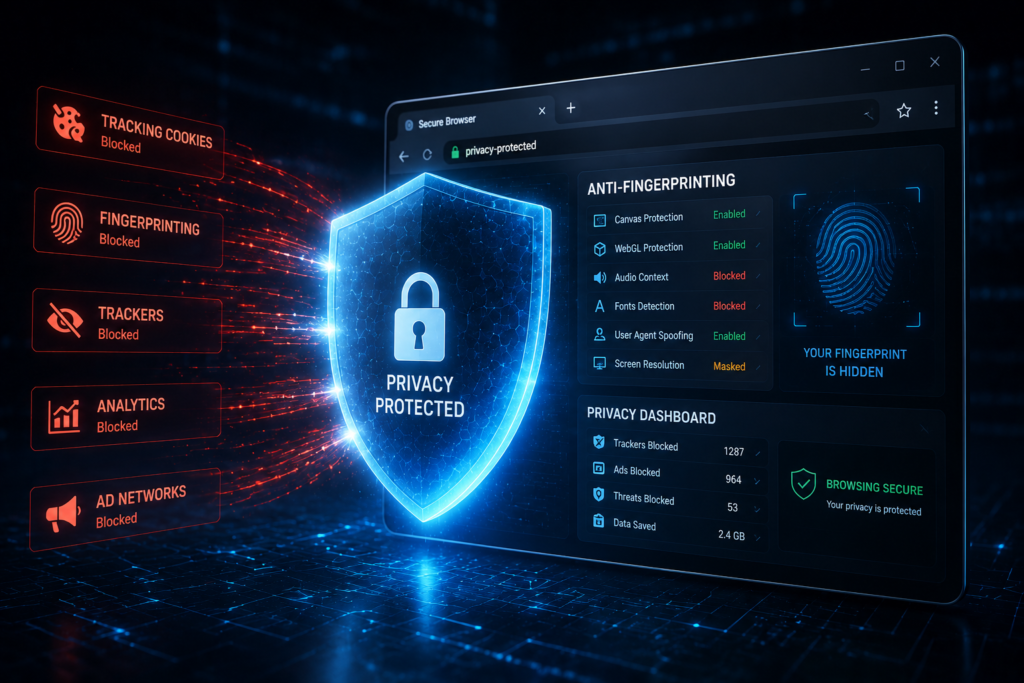
Anti-Fingerprinting Protection
Modern browsers should reduce identifiable characteristics that advertisers use to fingerprint users.
HTTPS Enforcement
Browsers should prioritize encrypted HTTPS connections and warn users about insecure websites.
Cookie Management
Strong cookie controls help prevent websites from tracking users across multiple sessions.
Sandbox Security
Sandboxing isolates browser processes, reducing the impact of malware and malicious websites.
Open-Source Transparency
Open-source browsers allow independent researchers to inspect code and identify vulnerabilities.
Frequent Security Updates
Even the most secure browser becomes risky if updates are delayed.
Expert Tip: During security assessments, I often find users running browsers that are months behind on updates. Keeping your browser updated is one of the easiest security improvements available.
Best Secure Browsers for Privacy Compared
Brave Browser
Privacy Strengths
Brave consistently ranks among the strongest privacy-focused browsers.
Key features include:
- Built-in tracker blocking
- Aggressive ad blocking
- HTTPS upgrades
- Fingerprinting protection
Security Features
- Chromium-based sandboxing
- Frequent updates
- Secure DNS support
Weaknesses
Some users dislike its cryptocurrency-related features.
Ease of Use
Excellent.
Performance
One of the fastest privacy browsers available.
Best Use Case
Everyday users seeking strong privacy without complexity.
Expert Opinion
In my testing, Brave blocks a remarkable amount of tracking by default while maintaining excellent compatibility.
Mozilla Firefox
Privacy Strengths
Firefox remains one of the most respected privacy-focused browsers.
Security Features
- Enhanced Tracking Protection
- DNS over HTTPS
- Extensive customization
Weaknesses
Requires configuration to maximize privacy.
Ease of Use
Good.
Performance
Very good.
Best Use Case
Users who enjoy customization.
Expert Opinion
Firefox continues to offer one of the best balances between control, privacy, and compatibility.
Tor Browser
Privacy Strengths
Maximum anonymity.
Security Features
- Onion routing
- Anti-fingerprinting
- Multi-layer encryption
Weaknesses
Slower browsing speeds.
Ease of Use
Moderate.
Performance
Slow.
Best Use Case
Journalists, activists, researchers.
Expert Opinion
Tor remains unmatched for anonymity.
Mullvad Browser
Privacy Strengths
Developed with privacy as the primary objective.
Security Features
- Strong anti-fingerprinting
- Tracker protection
- Privacy-first defaults
Weaknesses
Limited customization.
Ease of Use
Good.
Performance
Very good.
Best Use Case
Privacy enthusiasts.
Expert Opinion
One of the most impressive privacy-focused browser releases in recent years.
LibreWolf
Privacy Strengths
A hardened Firefox fork.
Security Features
- Telemetry removal
- Privacy-focused settings
- Enhanced tracking protection
Weaknesses
Occasional compatibility issues.
Ease of Use
Moderate.
Performance
Good.
Best Use Case
Advanced users.
Expert Opinion
Excellent choice for users who want Firefox without telemetry.
Microsoft Edge
Privacy Strengths
Improved significantly.
Security Features
- SmartScreen phishing protection
- Sandbox security
- Enterprise controls
Weaknesses
Microsoft ecosystem integration.
Ease of Use
Excellent.
Performance
Excellent.
Best Use Case
Business users.
Expert Opinion
Edge performs better than many people expect in security testing.
DuckDuckGo Browser
Privacy Strengths
Simple privacy controls.
Security Features
- Tracker blocking
- HTTPS upgrades
- Privacy reports
Weaknesses
Limited advanced features.
Ease of Use
Excellent.
Performance
Good.
Best Use Case
Beginners.
Expert Opinion
A great introduction to privacy-focused browsing.
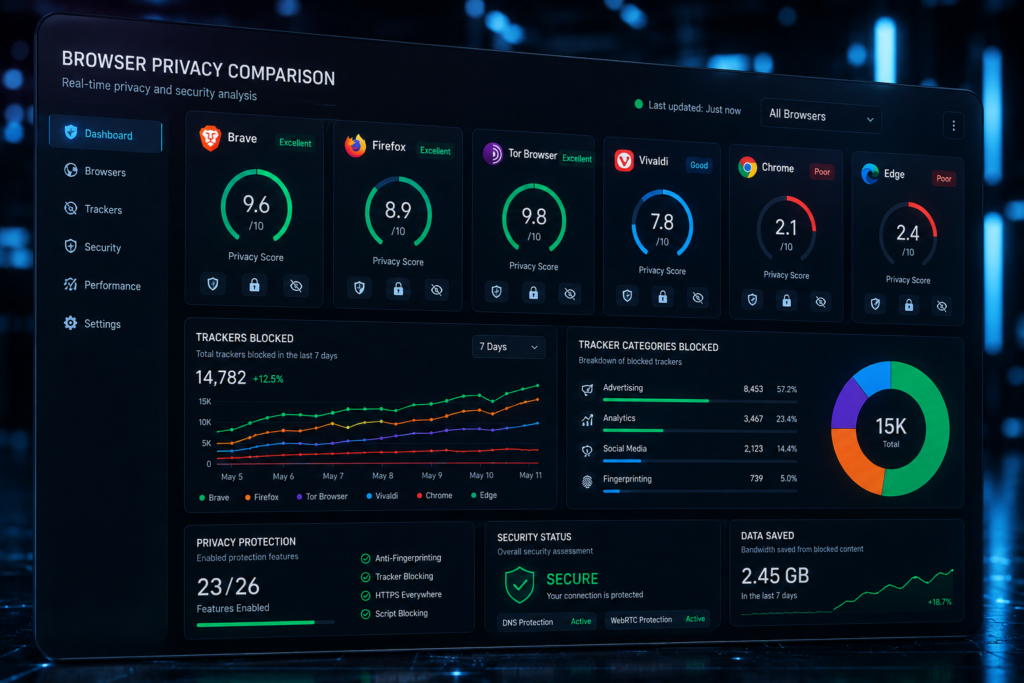
Browser Privacy Comparison
| Browser | Privacy Protection | Tracker Blocking | Anti-Fingerprinting | Open Source | Best For | Security Rating |
|---|---|---|---|---|---|---|
| Brave | Excellent | Excellent | Very Good | Yes | Everyday Users | 9.5/10 |
| Firefox | Very Good | Very Good | Good | Yes | Customization | 9/10 |
| Tor Browser | Outstanding | Excellent | Outstanding | Yes | Anonymity | 10/10 |
| Mullvad Browser | Excellent | Excellent | Excellent | Yes | Privacy Enthusiasts | 9.7/10 |
| LibreWolf | Excellent | Very Good | Very Good | Yes | Advanced Users | 9.4/10 |
| Edge | Moderate | Good | Moderate | Partial | Business Users | 8.2/10 |
| DuckDuckGo Browser | Good | Very Good | Moderate | Partial | Beginners | 8.5/10 |
Expert Analysis
The biggest takeaway from this browser privacy comparison is that no single browser dominates every category.
Tor leads in anonymity.
Brave delivers the best balance of privacy and usability.
Firefox remains the customization champion.
Mullvad Browser is rapidly becoming a favorite among privacy professionals.
Browser Privacy Comparison: Which Browser Wins?
Privacy
Winner: Tor Browser
Security
Winner: Mullvad Browser and Brave
Performance
Winner: Brave
Ease of Use
Winner: Brave and DuckDuckGo Browser
Customization
Winner: Firefox
Compatibility
Winner: Brave and Edge
From a practical browser privacy comparison perspective, Brave offers the strongest overall package for most users.
Most Secure Internet Browser for Different Users
Everyday Users
Brave Browser
Journalists
Tor Browser
Business Professionals
Microsoft Edge or Brave
Students
Firefox
Privacy Enthusiasts
Mullvad Browser
Remote Workers
Brave Browser
The most secure internet browser depends heavily on user requirements and threat models.
Best Secure Browser for Online Banking
Banking activities require both privacy and security.
Common threats include:
- Phishing websites
- Credential theft
- Session hijacking
- Malware infections
Secure Browsing Practices
- Enable automatic updates.
- Use multi-factor authentication.
- Verify HTTPS encryption.
- Avoid public Wi-Fi.
- Use password managers.
For most users, Brave is the best secure browser for online banking because it combines strong anti-tracking protection with excellent usability.
Firefox is also a strong secure browser for online banking when properly configured.
For high-risk users, a dedicated browser profile exclusively for banking activities provides additional protection.

Common Browser Privacy Mistakes
Excessive Extensions
Every extension introduces potential privacy risks.
Weak Privacy Settings
Default settings often prioritize convenience.
Ignoring Updates
Outdated browsers remain a major attack vector.
Browser Sync Risks
Cloud synchronization may expose sensitive browsing data.
Unsafe Downloads
Malicious downloads continue to be a leading infection source.
Privacy Focused Web Browser Features to Look For
Built-In VPNs
Can provide additional privacy protection.
Ad Blocking
Reduces tracking and improves speed.
Tracker Blocking
Essential for modern privacy.
Private Search
Reduces search engine profiling.
DNS Protection
Prevents DNS-based monitoring.
Secure DNS over HTTPS
Encrypts DNS requests.
Latest Browser Privacy Trends in 2026
Several developments are shaping browser privacy.
AI-Powered Tracking
Advertising companies increasingly use machine learning to identify behavioral patterns.
Advanced Browser Fingerprinting
Fingerprinting continues becoming more sophisticated.
Privacy Sandbox Initiatives
Industry efforts are attempting to replace third-party cookies.
Decentralized Identity Systems
Emerging technologies may reduce dependence on centralized authentication.
Future Predictions
Based on current research and testing trends, anti-fingerprinting technologies will become one of the most important browser features over the next five years.

Trusted Resources for Further Research
For readers wanting deeper technical information, I recommend:
- Electronic Frontier Foundation (EFF)
- Mozilla Security Blog
- Brave Security Documentation
- OWASP
- CISA
- Privacy Guides
- NIST Cybersecurity Resources
Frequently Asked Questions
1. What is the best secure browser for privacy in 2026?
Brave is the best overall secure browser for privacy due to its strong default protections, speed, and usability. Tor remains the leader for maximum anonymity.
2. Is Brave more private than Chrome?
Yes. Brave blocks trackers, advertisements, and fingerprinting attempts by default, while Chrome remains deeply integrated into advertising ecosystems.
3. Is Firefox still good for privacy?
Absolutely. Firefox remains one of the strongest privacy-focused browsers, especially when configured with enhanced privacy settings.
4. Which browser is safest for online banking?
Brave and Firefox are excellent choices. For most users, Brave provides the best secure browser for online banking experience.
5. Can browsers completely stop tracking?
No. Browsers can significantly reduce tracking, but complete elimination is unrealistic due to evolving tracking technologies.
Expert Recommendations
Best Overall Browser
Brave Browser
Best Browser for Maximum Privacy
Tor Browser
Best Browser for Beginners
DuckDuckGo Browser
Best Browser for Online Banking
Brave Browser
Best Balance Between Privacy and Usability
Brave Browser
After years of testing browser privacy features, Brave consistently delivers the strongest overall experience for most users.
Final Verdict
Overall Winner
Brave Browser
Best Privacy-Focused Browser
Tor Browser
Best Secure Browser for Online Banking
Brave Browser
Best Browser for Advanced Users
Mullvad Browser and LibreWolf
Best Browser for Everyday Users
Brave Browser
Each browser excels in different scenarios, but Brave offers the most practical combination of privacy, security, speed, and compatibility.
Conclusion
Browser privacy is no longer a niche concern. In 2026, online tracking, fingerprinting, and behavioral profiling affect nearly every internet user.
The good news is that choosing the best secure browser for privacy can dramatically improve your digital security with minimal effort.
If you want the best balance of privacy and usability, choose Brave. If maximum anonymity is your priority, use Tor Browser. If customization matters most, Firefox remains an outstanding option.
My recommendation after 15 years of browser testing is simple: don’t wait for a privacy incident before taking action. Review your browser settings, enable privacy protections, remove unnecessary extensions, and switch to a privacy-focused web browser today.
Your browser is your gateway to the internet. Make sure it’s working for you not for advertisers, trackers, and data brokers.
Author

razamohd1203@gmail.com
Related Posts
VPN vs Proxy: Difference Between VPN and Proxy – Which Is Better for Privacy in 2026?
- 1
- 1,419 word
The demand for online privacy tools has exploded in recent years. From everyday users trying to bypass geo-restrictions to businesses securing remote...
WordPress Security Tips: How to Secure WordPress Website Like a Pro in 2026
- 1
- 1,379 word
In my 15 years of working as a WordPress security consultant, I’ve seen one pattern repeat itself again and again website owners...

How Hackers Steal Personal Information: Cybercriminal Tactics Explained and Data Protection Guide for 2026
- 0
- 1,626 word
Personal data has become one of the most valuable commodities in the cybercrime economy. Over the past 15 years investigating cyberattacks, identity...
Best Password Manager 2026 : Top Password Managers Compared and Reviewed by Security Experts
- 1
- 1,601 word
Over the past 15 years working in cybersecurity, one trend has remained surprisingly consistent: passwords continue to be one of the weakest...