
- 1
- 1,379 word
In my 15 years of working as a WordPress security consultant, I’ve seen one pattern repeat itself again and again website owners only care about security after their site gets hacked.
Every week, I still receive cases where business websites are defaced, infected with malware, or silently used for phishing campaigns. And in most cases, the owner had no idea anything was wrong until Google blacklisted their site.
If you are searching for wordpress security tips, learning how to secure wordpress website, or understanding wordpress malware protection, you are already ahead of most website owners.
But here’s the truth from real-world experience:
WordPress is not insecure poor maintenance is.
After cleaning hundreds of infected WordPress sites, I can confidently say most attacks are preventable with the right setup and habits.
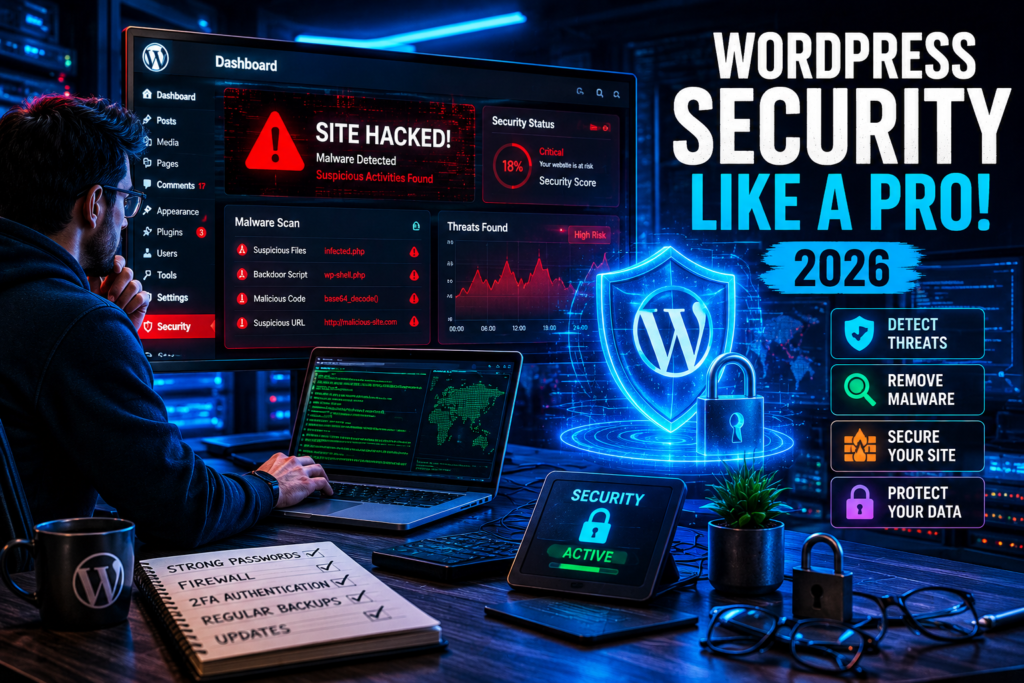
Why WordPress Websites Get Hacked
One of the most common vulnerabilities I’ve seen is not WordPress itself but everything around it.
Weak Passwords and Admin Access
Brute-force attacks are still one of the easiest ways hackers get in. Admin usernames like admin combined with weak passwords are a golden ticket.
Outdated Plugins and Themes
Old plugins are the biggest entry point for attackers. A single outdated plugin can compromise the entire website.
Poor Hosting Security
Cheap hosting often means shared servers with weak isolation. One compromised site can affect dozens of others.
Nulled Themes and Plugins
This is a silent killer. I’ve seen dozens of businesses lose their entire SEO ranking because of malware hidden inside nulled themes.
Brute Force Attacks
Automated bots constantly scan WordPress login pages trying thousands of password combinations per minute.
Misconfigured Settings
File permissions, exposed directories, and debug modes often give attackers unnecessary access.
WordPress Security Tips Every Website Owner Must Follow
If you only follow one section of this article, make it this one. These wordpress security tips come directly from real incident recoveries.
Use Strong Admin Credentials
Never use predictable usernames like “admin.”
- Use long passwords (12–16+ characters)
- Include symbols, numbers, uppercase letters
- Avoid reuse across platforms
Keep WordPress Core Updated
Most compromised sites I’ve fixed were running outdated versions of WordPress.
Always update:
- WordPress core
- Themes
- Plugins
Secure Hosting Environment
Your hosting is your first defense layer.
Look for:
- Isolated accounts
- Daily backups
- Server-side malware scanning
Limit Login Attempts
Brute-force attacks rely on unlimited attempts.
Use plugins or server rules to:
- Block IPs after failed logins
- Add CAPTCHA verification
Disable File Editing
Inside WordPress dashboard, file editing should always be disabled:
define('DISALLOW_FILE_EDIT', true);This prevents hackers from modifying theme files even if they gain access.
WordPress Malware Protection Strategies
When talking about wordpress malware protection, most users only think of scanning. But real protection is layered.
Common Malware Types in WordPress
Backdoors
Hidden scripts allowing attackers to re-enter even after cleanup.
SQL Injection
Attackers manipulate database queries to extract sensitive data.
XSS (Cross-Site Scripting)
Injecting malicious scripts into pages viewed by users.
File Injection Attacks
Uploading malicious PHP files disguised as images or plugins.
Real Case Example
One client had a clean homepage, but hidden scripts were injecting spam links only for Googlebot. The site looked normal to humans but was heavily penalized in SEO.
This is why wordpress malware protection must include both scanning and firewall protection.
Best WordPress Security Plugins Compared
Security plugins are essential for modern WordPress protection. Here’s my real-world breakdown.
Wordfence Security
Wordfence Security
Features:
- Endpoint firewall
- Malware scanner
- Live traffic monitoring
Pros:
- Excellent real-time protection
- Strong free version
Cons:
- Can be resource-heavy
Best For: Medium to large websites needing active protection
Sucuri Security
Sucuri Security
Features:
- Cloud firewall (premium)
- Malware cleanup
- Security hardening
Pros:
- Excellent external firewall
- Strong reputation in incident response
Cons:
- Most powerful features are paid
Best For: Businesses needing external protection layer
iThemes Security
iThemes Security
Features:
- Login protection
- File change detection
- Brute force prevention
Pros:
- Beginner-friendly
- Easy setup
Cons:
- Limited firewall capabilities
Best For: Beginners
All In One WP Security
All In One WP Security
Features:
- Security scoring system
- Login lockdown
- Database security
Pros:
- Free and powerful
- Visual security grading
Cons:
- UI feels outdated
Best For: Budget users
MalCare
MalCare
Features:
- Cloud-based scanning
- One-click malware removal
- Intelligent detection
Pros:
- Very fast scanning
- Minimal site load
Cons:
- Premium-focused
Best For: Agencies and high-traffic sites
WordPress Security Plugin Comparison Table
| Wordfence | High | Yes | Yes | Medium | Yes | All-round protection |
| Sucuri | Very High | Yes (Cloud) | Medium | Easy | Limited | Enterprise security |
| iThemes Security | Medium | No | High | Easy | Yes | Beginners |
| MalCare | Very High | Yes | High | Very Easy | Limited | Agencies |
| All In One WP Security | Medium | No | Medium | Medium | Yes | Budget users |
WordPress Website Security Checklist
A proper wordpress website security checklist is what separates secure sites from hacked ones.
Basic Security Setup
- Install SSL certificate
- Use strong admin credentials
- Install security plugin
- Enable auto-updates
Advanced Security Hardening
- Disable file editing
- Protect wp-config.php
- Change login URL
- Add firewall protection
Weekly Maintenance Tasks
- Scan for malware
- Check user activity logs
- Review plugin updates
Monthly Security Audits
- Full website vulnerability scan
- Backup restoration test
- Server log review
Most website owners ignore this wordpress website security checklist, and that’s where problems start.
Common WordPress Security Mistakes
After cleaning hacked websites for years, I see the same mistakes repeatedly:
- Installing nulled themes
- Ignoring updates
- Weak passwords
- No backups
- Too many plugins
- No firewall protection
One client once installed 40+ plugins. The attack vector wasn’t WordPress it was plugin overload.
Advanced WordPress Security Techniques (Expert Level)
Web Application Firewall (WAF)
A WAF filters malicious traffic before it reaches your site.
IP Blocking Strategies
Block countries or IP ranges targeting your site repeatedly.
Server-Level Hardening
- Disable unnecessary services
- Use SSH keys instead of passwords
- Restrict access to sensitive directories
Database Security
- Change default table prefixes
- Limit database user privileges
Two-Factor Authentication (2FA)
Adds an extra login layer using mobile verification.
File Permissions
Correct permissions:
- Files: 644
- Folders: 755
Latest WordPress Security Trends in 2026
Security is evolving fast:
- AI-powered malware detection systems
- Real-time threat intelligence
- Zero-trust architecture models
- Cloud-based firewalls
- Automated vulnerability patching
Platforms like WordPress are increasingly relying on ecosystem-level security rather than just plugins.
FAQ
1. What are the best wordpress security tips for beginners?
Use strong passwords, keep everything updated, install a security plugin, and enable backups.
2. How to secure WordPress website from hackers?
Use firewall protection, limit login attempts, and follow a strict wordpress website security checklist.
3. Which WordPress security plugins are best?
Wordfence, Sucuri, and MalCare are top choices depending on your needs.
4. How does WordPress malware protection work?
It scans files, monitors traffic, and blocks malicious code execution.
5. How often should I update my WordPress site?
Immediately when updates are released, especially security patches.
Expert Recommendation
- Best overall setup: Wordfence + strong hosting + regular backups
- Best plugin: Wordfence Security
- Best hosting security: Managed WordPress hosting with firewall
- Best malware protection: MalCare cloud scanning + WAF
- Best beginner setup: iThemes Security + basic firewall
Final Verdict
If you take only three things from this article, remember:
- Follow strong wordpress security tips
- Maintain a strict wordpress website security checklist
- Prioritize wordpress malware protection at all levels
Security is not a one-time setup it’s a continuous process.
Conclusion: Take Action Before It’s Too Late
In real-world WordPress security work, I’ve seen one truth repeat itself:
Websites don’t get hacked because they are WordPress they get hacked because they are unprotected.
Start with:
- Strong credentials
- Updated system
- Security plugin
- Firewall protection
- Regular backups
If you want to secure your website, don’t wait for a hack to force you into action. Build your defense system today because recovery always costs more than prevention.
Author

razamohd1203@gmail.com
Related Posts

VPN vs Proxy: Difference Between VPN and Proxy – Which Is Better for Privacy in 2026?
- 1
- 1,419 word
The demand for online privacy tools has exploded in recent years. From everyday users trying to bypass geo-restrictions to businesses securing remote...

Best Secure Browser for Privacy: Browser Privacy Comparison and Security Guide for 2026
- 0
- 1,933 word
If there is one lesson I have learned after spending more than 15 years testing browsers, auditing privacy settings, investigating online tracking...

How Hackers Steal Personal Information: Cybercriminal Tactics Explained and Data Protection Guide for 2026
- 0
- 1,626 word
Personal data has become one of the most valuable commodities in the cybercrime economy. Over the past 15 years investigating cyberattacks, identity...

Best Password Manager 2026 : Top Password Managers Compared and Reviewed by Security Experts
- 1
- 1,601 word
Over the past 15 years working in cybersecurity, one trend has remained surprisingly consistent: passwords continue to be one of the weakest...
1 comment